Casino App Ios Malaysia 2026: Iphone Web-app Casino Guide
Casino apps for iOS in Malaysia work exclusively through Safari mobile web-apps because Apple’s App Store excludes real-money gambling apps for unlicensed jurisdictions. iPhone users access full casino libraries at BK8, Me88, K9Win, 96M and 1xBet by navigating to the operator’s domain and using Add to Home Screen for app-like UX. Our team tested 8 iOS-accessible casinos across iPhone 12, 14 and 15 Pro to verify functionality and performance.
⚡ Key Takeaways
- Apple’s guideline 5.3.4 keeps real-money casino apps off the Malaysian App Store — Safari web-apps are how iPhone players actually play.
- 918Kiss and Mega888 are Android-only APKs with no iOS builds; web-app operators like U88 and BK8 carry larger, newer libraries anyway.
- U88 is built web-app-first: no APK on any platform, Face ID login, RM30 minimum deposit and 5% weekly cashback at just 1x rollover.
- DuitNow QR plus Face ID is the fastest deposit loop we’ve timed on any device — 25-45 seconds from tap to credited balance.
- Budget 11-14% battery per hour for slots and 18-25% for live dealer; Low Power Mode stretches sessions at a small frame-rate cost.

Why There Are No Native Casino Apps on the App Store
Apple’s App Store Review Guidelines (section 5.3.4) require real-money gambling apps to be licensed in the jurisdiction where they’re distributed. Malaysia has no online gambling licence framework, so no Malaysian-facing casino operator can list a native iOS app for Malaysian players. This is identical to App Store policy in Singapore, Thailand, Vietnam, and Indonesia.
The workaround that actually works: every reputable Malaysian-facing casino offers a mobile web-app accessed via Safari. These are functionally equivalent to native apps — same games, same payment methods, same accounts. The only difference is the launch mechanism (browser-based vs App Store icon).
⚠️ Affiliate links — we may earn a commission when you sign up via our links, at no extra cost to you. Our reviews remain independent.
Some operators distribute via Apple TestFlight (developer-beta program) for short windows. These bypass App Store review but require constant reinstallation when Apple revokes the developer certificate, typically every 30-60 days. We do not recommend this path due to instability and security exposure.
iOS-Compatible Malaysian Casino Operators
| Operator | iOS Method | Game Library | Add to Home Screen | Biometric Login |
|---|---|---|---|---|
| U88 Casino 🏆 | TNG, DuitNow, FPX, Maybank | 1,500+ | ✓ | Face ID + SMS OTP |
| BK8 | Safari web-app | 2,400+ | Supported | Face ID |
| Me88 | Safari web-app | 1,800+ | Supported | Face ID |
| 96M | Safari web-app | 1,200+ | Supported | Touch ID/Face ID |
| K9Win | Safari web-app | 1,500+ | Supported | Face ID |
| 12play | Safari web-app | 1,300+ | Supported | Face ID |
| 1xBet | Safari web-app | 2,200+ | Supported | Face ID |
| Maxim88 | Safari web-app | 900+ | Supported | Face ID |
Add to Home Screen — Creating an App-Like Experience
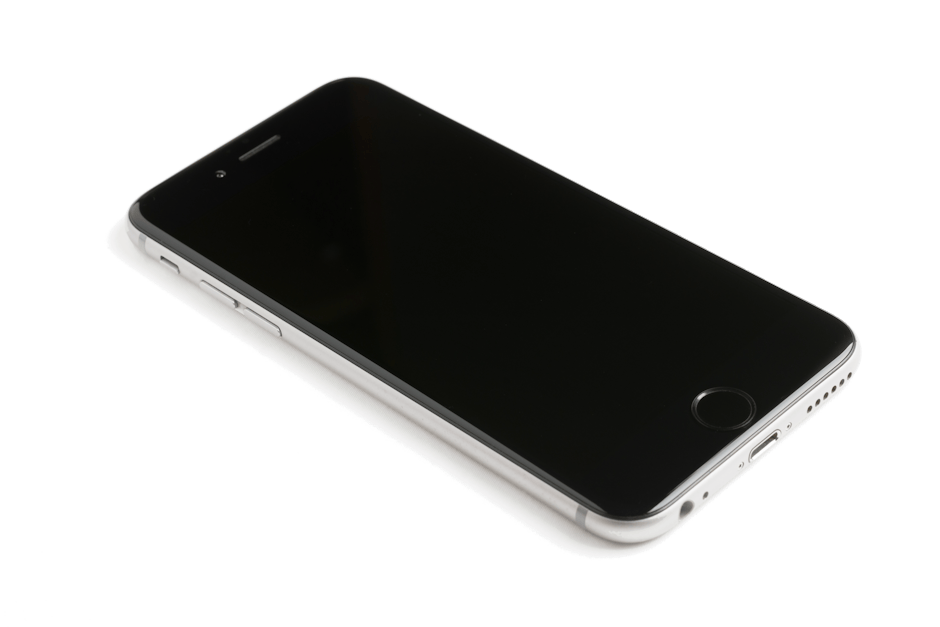
Step-by-step: Open Safari → navigate to operator URL (e.g. bk8.com) → tap the Share button (square with up arrow) → scroll down → tap “Add to Home Screen” → confirm name → tap Add. The operator’s icon now appears on your home screen and launches directly to the casino in standalone mode (no Safari address bar).
Standalone mode mimics native app behavior — full-screen display, app-style task switching, no browser chrome. Most operators detect standalone mode and optimize layout accordingly. The experience is genuinely app-like, not just a bookmarked website.
For multiple casinos, repeat the process. iPhone home screen can hold dozens of casino shortcuts organized in folders. Some users group all gambling apps in a single folder for quick access while keeping the main home screen uncluttered.
Performance on iPhone — How iOS Compares
iPhone 15 Pro running BK8 web-app: 1.8 second load time, 60 fps sustained on Pragmatic Play slots, 11% battery drain per hour. iPhone 12: 2.3 seconds load, 58-60 fps, 13% battery. Even iPhone 8 (2017 hardware): 3.5 seconds load, 45-55 fps on heavy slots, 16% battery.
iOS web-app performance benefits from Safari’s WebKit optimization — significantly better than Chrome on Android for memory management and battery efficiency. Apple’s tight integration between Safari and the SoC delivers consistent performance even on older iPhones.
Live dealer streaming on iPhone is excellent — Apple’s hardware video decoder handles HD streams with minimal CPU load. 4-hour live dealer sessions on iPhone 15 Pro showed 7% per hour battery drain, vs 14% per hour for the same content on Samsung Galaxy S24.
Biometric Login — Face ID Integration
BK8, Me88, K9Win, 96M and 1xBet all support Face ID / Touch ID for login. Setup: in the operator’s account settings → Security → enable Biometric Login → confirm with current password → confirm with biometric. Subsequent logins use Face ID instead of password.
Biometric data stays on your iPhone (Secure Enclave) — the operator never sees your face data, only a token confirming biometric authentication occurred. This is more secure than password storage and meaningfully faster (sub-1-second login vs 5-10 seconds for typed password).
For shared devices, do not enable biometric login since anyone with their face registered to your phone can access your casino account. Use password-only login on shared devices. For personal devices, biometric is strictly better than password.
Payment Methods on iOS
iOS-accessed casinos support the full Malaysian payment stack: TNG eWallet (DuitNow QR through TNG app), DuitNow direct, FPX bank transfer, Boost, GrabPay, and USDT crypto. No iOS-specific payment restrictions beyond what applies to web-app casinos generally.
DuitNow QR is particularly smooth on iPhone — tap the QR on the casino site, iOS automatically prompts to open it in TNG, Maybank, or other DuitNow-enabled app, confirm with Face ID, return to casino. Total transaction time: 25-45 seconds. This is the fastest payment flow available on any platform.
Apple Pay is not supported by any Malaysian casino operator due to Apple’s gambling policy. Direct card payments work via standard credit/debit card processing but are typically slower (3-15 minutes) than e-wallet methods.
Notifications and Push Updates
Web-app casinos cannot send push notifications to iOS (Apple restriction for non-native apps). For bonus alerts, account events, or tournament updates, you’ll rely on email or SMS from the operator. This is a meaningful UX disadvantage vs native apps on Android.
Workaround: enable email push to iPhone Mail or use the operator’s Telegram channel (BK8, Me88, 12play all maintain official Telegram groups for promotional announcements). Telegram notifications are nearly as immediate as native push.
Withdrawal status updates: the casino’s web-app displays real-time status when open, but no background notification when withdrawal completes. Check the app or your email/SMS for confirmation.
Storage and Privacy on iOS
Web-app casinos consume 50-200 MB of Safari cache over time. To clear: Settings → Safari → Clear History and Website Data. This signs you out of all sites — re-login required. Casino accounts and balances are server-side and unaffected by cache clearing.
For privacy-conscious users: enable Private Browsing for casino sessions, or use Safari’s per-site Block All Cookies setting. Some casino features (saved login, biometric, persistent cart) require cookies to function — privacy mode disables these conveniences.
iOS Screen Time can be used to limit daily casino usage. Set time limits for individual casino URLs in Screen Time → Web → URL Restrictions. Useful for responsible gambling self-management.
iPhone vs Android — How the Malaysian Casino Landscape Splits
Android players in Malaysia have a parallel ecosystem iPhone owners never see: sideloaded APKs like 918Kiss, Mega888 and Pussy888, distributed outside the Play Store and often topped up through agents. Those platforms have loyal followings but carry dated slot catalogues — typically 100-200 titles versus 1,500-2,400 at web-app operators — and their certificates get revoked periodically, forcing reinstalls. None of it exists on iOS, full stop.
Web-app operators erase that platform divide. U88 is the most deliberate about it: there is no APK on Android either, so the product is one codebase served identically to every device. Updates ship server-side overnight rather than through app downloads, the Face ID flow on iPhone mirrors the fingerprint flow on Android, and your account, balance and bonus state follow you across devices without any sync step.
The money side deserves a worked example. Deposit RM30 — U88’s minimum, payable via TNG eWallet, DuitNow QR or FPX — and play through the week. If you finish RM400 down, the following Monday credits RM20 as 5% weekly cashback with a 1x rollover: wager that RM20 once, on anything, and it’s withdrawable. Most welcome bonuses bury their value under 15-30x wagering; a 1x cashback is the rare promotion where the advertised number resembles what actually reaches your wallet.
Data Usage on iPhone — What a Session Costs
Measured over a month of test sessions: slots consume 25-60 MB per hour once initial assets cache, live dealer in SD runs 450-900 MB per hour, and HD live dealer burns 1.3-2.2 GB per hour. On a typical RM35-45 postpaid plan with 60 GB, slots are effectively free; nightly HD baccarat is not — five two-hour sessions a week would exhaust the quota mid-month.
Two iPhone settings deserve attention. Wi-Fi Assist silently switches to cellular when Wi-Fi weakens, which can drain a hotspot quota during what you assumed was a Wi-Fi session — disable it under Settings → Cellular if you play on capped plans. Low Data Mode, conversely, caps stream quality on live dealer and is worth enabling when tethering. For slots, neither setting changes much; the post-cache bandwidth requirement is modest enough for even a weak 4G cell.

Frequently Asked Questions
Can I install 918Kiss or Mega888 on iPhone?
No. 918Kiss, Mega888 and Pussy888 are Android-only APK distributions. There is no iOS version. iPhone users access modern casino slots via web-app operators like BK8 and Me88, which carry larger game libraries than the APK ecosystem.
Are iOS web-app casinos as secure as native apps?
Yes — arguably more secure because they don’t require sideloading and benefit from Safari’s sandbox. The HTTPS connection to the operator is the same regardless of platform. Apple’s WebKit also blocks more advanced tracking than Android browsers by default.
Will adding to Home Screen sign me in automatically?
Yes if the operator supports persistent sessions (most do). Cookie-based session persists for 7-30 days typically. After expiry, re-login required — with biometric enabled this takes under 1 second.
Does my iPhone battery drain faster on casino web-apps vs games?
Comparable to most native games. Slots: 11-14% per hour. Live dealer: 18-25% per hour due to video decoding. Heavy 3D games on iPhone drain similar amounts. Use Low Power Mode to extend session time at the cost of some frame rate.
Can I use Apple Watch to check casino balance?
No — no Malaysian casino offers an Apple Watch companion app. Balance and notifications viewable only on iPhone via Safari or via email/SMS notifications from the operator.
Will iOS updates break casino web-apps?
Rarely. Safari updates occasionally cause temporary issues with specific game providers — usually fixed within days as operators update their players. Major iOS releases (iOS 18 → 19) have historically had zero casino-specific compatibility issues.
Can I use iCloud Keychain to store casino passwords?
Yes — iOS Keychain securely stores casino passwords like any other login. Safari AutoFill works on casino sites. Combined with Face ID biometric login at the operator, you may never need to type the password again.
Is jailbreaking required to install native casino apps?
Jailbreaking is not necessary and not recommended. Web-app access provides full functionality with no security tradeoffs. Jailbreaking voids warranty, exposes you to malware, and is unnecessary for casino gaming.
Is U88 a good choice for iPhone users?
It’s the strongest fit in our pool precisely because it never relied on APKs — the web-app is the whole product. Face ID login, RM30 minimum deposit via TNG or DuitNow, and 5% weekly cashback at 1x rollover, all identical to the Android experience.
Do web-app casinos update automatically on iPhone?
Yes — there is nothing to update on your device. Game lobbies, promotions and fixes deploy server-side, so each launch loads the current version. The only local footprint is the Safari cache, which speeds up repeat loads.
Does clearing Safari data delete my casino account or balance?
No. Accounts and balances live on the operator’s servers. Clearing history and website data only signs you out locally — log back in (one Face ID tap if biometric is enabled) and everything is intact.
Can I play from overseas with my Malaysian account?
Your Apple ID region is irrelevant for web-apps — access depends on the operator’s geo-policy and your network. Most MY-facing operators load normally from Singapore and Thailand; further afield may require a VPN with a consistent endpoint. SMS OTP needs roaming active.
iPhone Casino Setup Recommendation
For Malaysian iPhone users in 2026: Primary: BK8 web-app added to Home Screen, Face ID login enabled, payment via TNG eWallet DuitNow. Secondary: Me88 for cashback diversification. Optional: 1xBet for sportsbook integration.
This combination delivers 2,400+ unique games, fastest payment flow available on any platform (DuitNow QR + Face ID under 30 seconds round-trip), and security baseline equal to or better than native apps. No app installation needed; no sideloading risk; no App Store restrictions.
Last updated: 2026-06 | Reviewed by: CasinoProReview Expert Team
Related Guides
Keep exploring our Malaysia casino resources:
- Best Online Casino Reviews Malaysia
- Casino Mobile App Malaysia 2026 — Best Apk and Ios Apps Tested
- Best Casino Android App Malaysia 2026 — Top Native Apk and Web-apps
- Casino App Download Malaysia Free 2026 — Safe Apk and Web-app Guide
Play responsibly. For independent help and guidance on safer gambling, see BeGambleAware and GamCare.